Most video doorbells do not record nonstop by default. They usually save motion clips or live-view sessions, while continuous recording depends on the model, power, storage, and plan.
Many readers ask whether do video doorbells record all the time, and the short answer is usually no. Most models record in short clips when motion, a button press, or a live view session starts, while only some setups support nonstop recording.
Do Video Doorbells Record All the Time? The Short Answer and What “Always On” Really Means
For most homes, a video doorbell does not keep a nonstop recording loop. Instead, it saves event clips when activity happens or when you open the live feed. “Always on” usually means the doorbell stays powered and ready, not that it records every second.
That difference matters. A powered doorbell can respond faster, but recording still depends on the model, the power source, the app settings, and the storage plan. If you want a broader overview of device types, DecatHome’s video doorbells category can help you compare how these systems are typically designed.
How Video Doorbells Actually Record: Motion Clips, Live View, Event Triggers, and Continuous Recording
Video doorbells record through motion events, live view, and optional continuous recording.
Most video doorbells use event-based recording. That means they start saving video when motion is detected, when someone rings the bell, or when you open live view in the app. Some systems also keep a rolling stream in the background, but that is not the same as saving 24/7 footage.
What Most Homeowners Get by Default
By default, many doorbells save short clips only. The camera watches for motion, then records a few seconds before and after the event. This helps save battery, reduce storage use, and limit unnecessary alerts.
Live view is different. When you open the app, the camera sends a live stream for as long as the session stays active. In many cases, that live view does not create a full saved recording unless the system is set up to do so.
Which Models or Setups Can Support 24/7 Recording
Some wired video doorbells can support continuous recording, but usually only with the right hardware and plan. That may include wired power, cloud storage, or local storage such as a memory card or hub. The exact feature set varies by brand and model.
Continuous recording is more common on cameras than on battery doorbells. Battery power is usually not enough for nonstop recording because it drains too quickly. If a product claims 24/7 capture, check the exact manual and plan details before you buy.
What Determines Recording Behavior: Power, Wi-Fi, Storage, and Subscription Plans
Four things shape how a doorbell records: power, internet quality, storage, and the plan you choose. A doorbell may be capable of recording often, but settings or limits can still reduce what gets saved. In practice, the recording style is a mix of hardware and software choices.
Battery vs. Wired Installations
Battery models usually favor motion clips because they must conserve energy. Wired models can stay awake longer and may support richer features. Even then, the brand may still limit recording to events unless you pay for a plan or add local storage.
If you are replacing an existing unit, check the wiring details first. A helpful starting point is DecatHome’s installing a video doorbell guide, which explains the setup factors that often affect power and recording behavior.
US Electrical & Power Check
Verify the exact input voltage, transformer or adapter requirement, outlet, low-voltage wiring, battery backup, and professional-installation guidance.
Local Storage, Cloud Storage, and Retention Windows
Storage decides what happens after an event is captured. Cloud storage usually uploads clips to the vendor’s servers, where retention can depend on the plan. Local storage keeps footage at home, often on a hub, card, or connected device.
Local Storage
Can keep footage at home on supported hardware.
May avoid monthly cloud fees.
Can still fail if the device is damaged or stolen.
Cloud Storage
Stores clips offsite through a vendor account.
Usually depends on a subscription or plan.
Retention and sharing rules vary by provider.
Retention windows matter because a clip may disappear after a few days if you do not save it. If you need long-term evidence, check whether the system lets you download clips or export events before they expire.
Wi-Fi Bandwidth, Router Placement, and Upload Speed
Video doorbells need a stable network. Weak Wi-Fi can delay alerts, shorten clips, or cause missed events. Upload speed matters too because the camera must send video out of your home.
Wi-Fi & Network Check
Explain supported bands, upload needs, router distance, mesh behavior, Ethernet or PoE, hub requirements, outage behavior, and network-isolation options where relevant.
If your router is far from the front door, a mesh node may help. Thick walls, metal doors, and porches can also weaken the signal. For wired setups, follow the exact model guide, such as the wiring diagram guide, so the power and network path match the device’s needs.
Placement and Home Layout Considerations for Better Coverage<
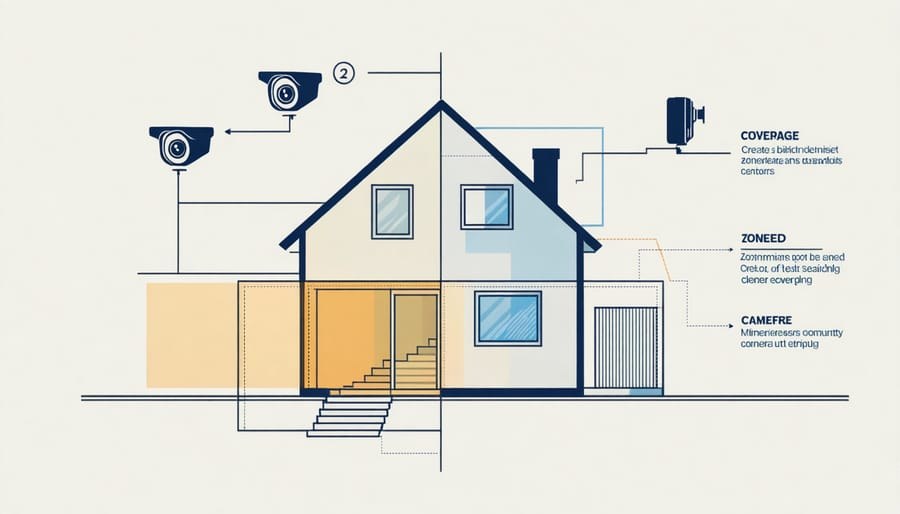
Home layout affects how well a video doorbell covers the entry area.
Placement affects what the doorbell sees and what it misses. A camera can only record what falls inside its field of view. Good placement helps capture visitors, packages, and approach paths without over-recording the street or a neighbor’s property.
Front Door, Porch, Driveway, and Side Entry Angles
The front door is the most common mounting point, but it is not always the only one that matters. If people often use a side entry or driveway path, the camera angle should account for that. A narrow view can miss approaches from the edge of the porch.
Mounting height also matters. Too high, and faces become hard to see. Too low, and the camera may focus on the ground or a wall. For placement basics, DecatHome’s installation height guide is useful for understanding why angle and height change what gets recorded.
Field of View, Night Vision, and Audio Capture
Field of view is the area the camera can see. A wider view can help cover more of the porch, but it may also include more public space. Night vision helps after dark, while audio capture can add context to a clip.
Privacy & Data for US Users
Explain audio and video recording, privacy zones, encryption claims, MFA, local and cloud storage, retention, deletion, shared users, app permissions, third-party access, and state-specific choices where documented.
Audio recording rules can be sensitive because state laws may differ. If your doorbell records sound, review the app settings and local rules before enabling it in shared spaces.
Avoiding Blind Spots and Reducing False Motion Alerts
Blind spots happen when the camera cannot see a key area. False alerts happen when the camera reacts to trees, cars, shadows, or passing foot traffic. Both problems can make the doorbell less useful.
Privacy zones can help block areas you do not want recorded. Motion sensitivity settings can also cut down on alerts from sidewalks, roads, or moving branches. If your home has a busy street, this step is often more helpful than adding more recording time.
Privacy, Neighbor Concerns, and Cybersecurity Risks
Recording more footage can help with review, but it also creates more privacy risk. The main concerns are who can see the video, where it is stored, and whether the camera captures shared or public areas. Good setup choices reduce those risks without removing useful security features.
Privacy Zones, Audio Limits, and Shared Space Boundaries
Privacy zones let you block part of the image, such as a neighbor’s window or part of a sidewalk. Some apps also let you limit audio capture or mute the microphone. These settings are worth checking before you finalize the camera angle.
Security Alert
Do not point a doorbell camera at spaces you do not need to monitor. Misplaced cameras can create neighbor disputes, privacy complaints, or unusable footage.
Account Security, MFA, Shared Users, and Password Hygiene
Doorbells are internet-connected devices, so account security matters. Use a unique password and turn on multi-factor authentication, often called MFA. MFA adds a second login check, which makes account takeover harder.
Cybersecurity Checklist
Use a unique password and enable MFA.
Update device, hub, router, and app software.
Review shared users, sessions, permissions, and integrations.
Use modern Wi-Fi security and isolate unsupported devices when practical.
Confirm how recordings and account data can be exported or deleted.
Also review shared users. Family members, roommates, and caregivers may need access, but old accounts should be removed when they no longer do. That simple step can prevent unwanted viewing or control.
Firmware Updates, Vendor Support, and Cloud Data Handling
Firmware is the software inside the device. Updates can fix bugs, improve alerts, and patch security issues. A doorbell that no longer gets updates may become harder to trust over time.
Cloud data handling also matters. Some vendors keep clips for a set time, while others offer different export or deletion tools. Before you rely on a system, check how the company handles account recovery, data deletion, and support for older devices.
Installation Choices for Homeowners and Rent
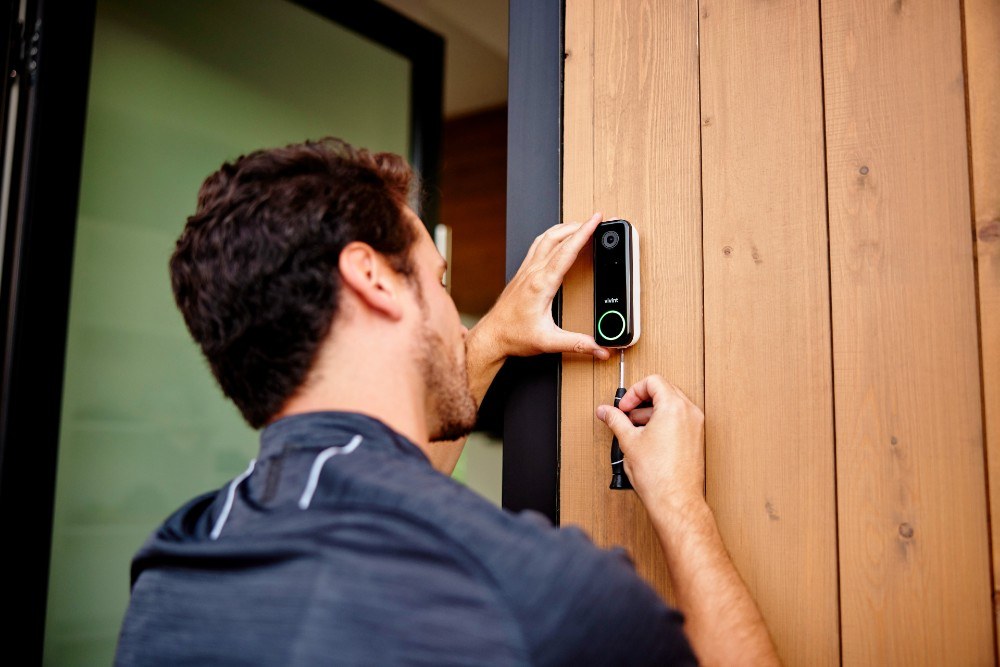
Installation options vary for homeowners and renters at the front door.
ers
Installation affects both recording behavior and long-term cost. Homeowners may choose a wired replacement, while renters often need a no-drill mount or battery model. The safest choice is the one that fits the building rules and the exact product manual.
Wired Doorbell Replacement vs. No-Drill Mounts
Wired replacements can be better for continuous power and more advanced recording options. No-drill mounts are often better for renters or temporary setups. The tradeoff is that battery or removable mounts may limit recording time or placement options.
Installation Warning
Address electrical power, transformers, drilling, ladders, weather exposure, door or window operation, rental rules, HOA limits, and professional help where relevant.
If you are unsure about wiring, stop and check the manual. For systems that reuse existing chimes, the compatibility details can be tricky, so a guide like wired video doorbell existing chime can help you understand the usual fit issues.
Lease Rules, HOA Rules, and Permission Basics
Renters should check the lease before mounting anything outside. Some leases limit drilling, wiring changes, or cameras that face shared areas. HOAs may also have rules about visible devices or placement on the front of the home.
When in doubt, get written permission. That can save time if you need to remove the device later or explain why it faces a common walkway.
Weather Exposure, Wiring Limits, and Transformer Compatibility
Outdoor devices must handle rain, heat, and cold. They also need the right power source. A mismatch between the transformer, chime, or adapter can cause weak performance or failed recording.
Doorbell Transformer & Chime Check
Confirm the exact voltage and VA requirement.
Verify mechanical or digital chime compatibility.
Check whether a connector, power kit, bypass, or adapter is required.
Turn off power and use a qualified installer when wiring is uncertain.
Subscriptions, Monitoring, and Ownership Costs Over Time
The sticker price is only part of the cost. Many doorbells also involve cloud plans, storage accessories, replacement batteries, or installation help. Over time, the cheapest device upfront may cost more if it needs a paid plan to keep useful recordings.
What Free Features Usually Include
Without a plan, many systems still offer live view, motion alerts, and basic notifications. Some may also save short event clips locally or for a limited time. But free use often comes with shorter history, fewer smart alerts, or lower sharing limits.
What Paid Plans Typically Unlock
Paid plans often add cloud storage, longer retention, package detection, person alerts, or advanced activity zones. Some also unlock multiple cameras under one account. The exact bundle varies a lot by brand, so read the plan page carefully before assuming a feature is included.
Without a Plan$0
May include live view and motion alerts
Often limits clip history or cloud access
Monthly PlanVaries by provider
Often adds cloud recording and longer retention
May add richer alerts and sharing tools
Annual PlanVaries by provider
May reduce the monthly equivalent cost
Check cancellation and renewal terms
Long-Term Cost Tradeoffs: Storage, Hardware, and Replacement
Local storage can reduce recurring fees, but it may require extra hardware and maintenance. Cloud storage can be easier to manage, but it adds ongoing cost and depends on the vendor’s account system. Either way, think about replacement batteries, chime parts, and support life span.
If you want to compare how power and charging affect upkeep, DecatHome’s battery doorbell lifespan guide can help frame the maintenance side of the decision.
Troubleshooting Common Recording Problems
If a doorbell is not recording the way you expect, start with safe checks. Most problems come from power, Wi-Fi, settings, storage limits, or account issues. Avoid bypassing safety steps or opening wiring unless the manual clearly allows it.
When Motion Events Are Missed or Delayed
Missed events often point to weak Wi-Fi, low battery, poor placement, or sensitivity settings that are too low. Delays can also happen when the app, router, or cloud service is slow. Start by checking signal strength and motion zones.
Then review the event settings. A camera aimed too high, too low, or too far from the walkway may not detect people soon enough to save a useful clip.
When the Camera Records Too Much or Too Little
Too much recording usually means the motion zone is too broad or the sensitivity is too high. Too little recording can mean the opposite. Weather, shadows, headlights, and passing cars can also trigger extra clips.
Adjust one setting at a time. That makes it easier to see what changed and helps you avoid overcorrecting.
When the Doorbell Goes Offline or Stops Saving Clips
An offline doorbell may still be powered, but it cannot send video. Check the router, power source, app login, and subscription status. If storage is full or the plan expired, clips may stop saving even though alerts still arrive.
Also check for firmware updates. A device that has not updated in a while may behave unpredictably, especially after a router change or app update.
How to Decide Whether Continuous Recording Is Actually Necessary
Continuous recording is useful in some situations, but it is not required for every home. Many homeowners get enough value from motion clips and live view. The best choice depends on how much coverage you need, how much storage you want, and how much privacy you are willing to manage.
Use Cases for Continuous Recording vs. Event-Based Recording
Continuous recording can help if you need a full timeline, such as for a busy entryway or a property with frequent deliveries. Event-based recording is usually enough for a quiet porch, a rental unit, or a home that mainly wants visitor alerts.
Smart home security options compared
Option
Best suited to
Power and network
Storage or plan
Main limitation
Event-based recording
Most homes and renters
Works well on battery or wired power
Often uses limited cloud or local clips
May miss activity outside motion zones
Continuous recording
Busy entries and higher review needs
Usually works best with wired power
Needs more storage or a stronger plan
Uses more data, power, and privacy oversight
Practical Next Steps for Choosing the Right Setup
Start with your power source, then check storage and network support. After that, decide whether your home needs clips or a full recording timeline. If you rent, verify the lease. If you wire into existing power, verify the exact transformer and chime requirements first.
Final Takeaway: Most video doorbells do not record all the time by default. They usually save motion clips or live-view sessions, while continuous recording depends on the model, power, storage, and plan. Check the manual, confirm your home’s wiring and Wi-Fi, and choose the setup that matches your privacy needs and budget.
Most video doorbells do not record nonstop by default. They usually save motion clips or live-view sessions instead.
Some wired models can support continuous recording, but the exact feature depends on the brand, plan, and storage setup. Check the manual and subscription details before you buy.
Battery models usually rely on event-based recording to save power. Continuous recording is uncommon because nonstop video drains the battery quickly.
A doorbell may still power on, but it may not upload clips or send alerts while the network is down. Some local storage systems can keep recording, depending on the model.
Many brands offer basic live view or limited alerts without a plan, but cloud recording often requires a subscription. Plan details vary, so check what is included before setup.
Use privacy zones, reduce audio capture if the app allows it, and aim the camera only at areas you need to monitor. Also secure the account with a unique password and MFA.
Hi, I'm Marcus Sterling, a smart home security expert with over 5 years
of hands-on experience testing and reviewing hundreds of security cameras, smart locks, and alarm systems. My mission is to make smart home security accessible, affordable, and easy to understand—and every review I publish is 100% independent, unbiased, and honest. I don't accept payments for positive reviews, just practical advice to help you secure your home with confidence.
Quick Security Answer Ring battery doorbells usually last from weeks to months, depending on motion activity, Wi-Fi quality, weather, and how often you use live view. The best way to stretch battery life is to reduce false alerts and keep the connection steady. how long does ring battery doorbell last is the first question most…
Compare ring battery doorbell bundle by security features, privacy, smart home fit, setup, fees, and value. Read the guide to find the right option for your.
Compare ring battery doorbell deal by security features, privacy, smart home fit, setup, fees, and value. Read the guide to find the right option for your home.
Choosing between the eufy Video Doorbell E340 and S330 depends on how you plan to power, install, and use your doorbell. Both models offer dual-camera coverage, but their storage, hub requirements, and daily features differ. We recommend the E340 for most homes because it works as a standalone doorbell, supports local storage expansion, and offers…
Quick Security Answer A Ring battery doorbell usually takes several hours to charge, but the exact time depends on the model, battery level, charger, and temperature. If charging seems slow, check the cable, power source, Wi-Fi, and battery age before assuming the device is faulty. how long does ring battery doorbell take to charge is…
Quick Security Answer A Ring battery doorbell is usually set up by charging the battery, adding the device in the app, and mounting it in a spot with a clear front-door view. The most common problems are weak Wi-Fi, poor placement, or skipped privacy settings. If you want to know how to setup ring battery…