8 Best Smart Deadbolts for Front Door: A Smart Lock Roundup
The best smart deadbolts for front door security combine fast entry, reliable backup, and app control without forcing you to pick one convenience over another.
This roundup compares eight keypad, fingerprint, Wi-Fi, and Matter over Thread deadbolts for U.S. homeowners and renters. Prices and specifications change, so confirm the current listing before you buy.
Start with the Wyze Auto-Lock Bolt v2 if you want fingerprint speed, built-in Wi-Fi, and physical key backup on one front door lock. Its main limit is that remote app control depends on a stable 2.4 GHz Wi-Fi connection.
Quick Product Comparison
| Product | Image | Best For | Current Price |
|---|---|---|---|
| 1. Wyze Auto-Lock Bolt v2 | 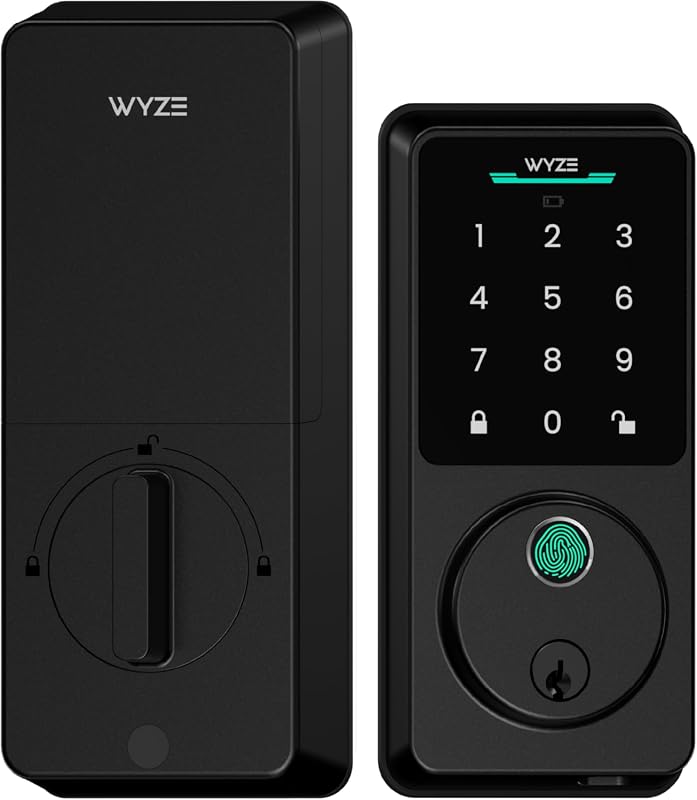 |
Fingerprint speed plus Wi-Fi remote control for families | See Price → |
| 2. Veise VE017 | 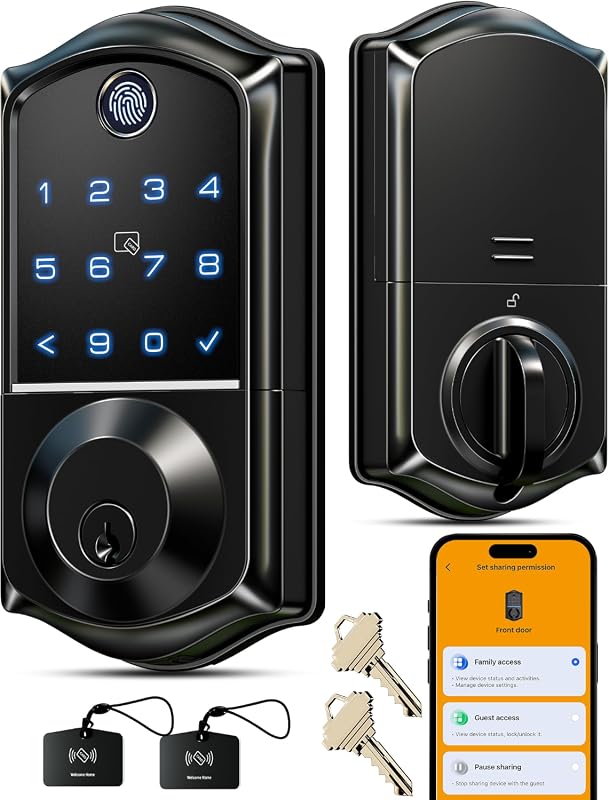 |
Remote user management for property owners | See Price → |
| 3. TEEHO TE001 Matte Black | 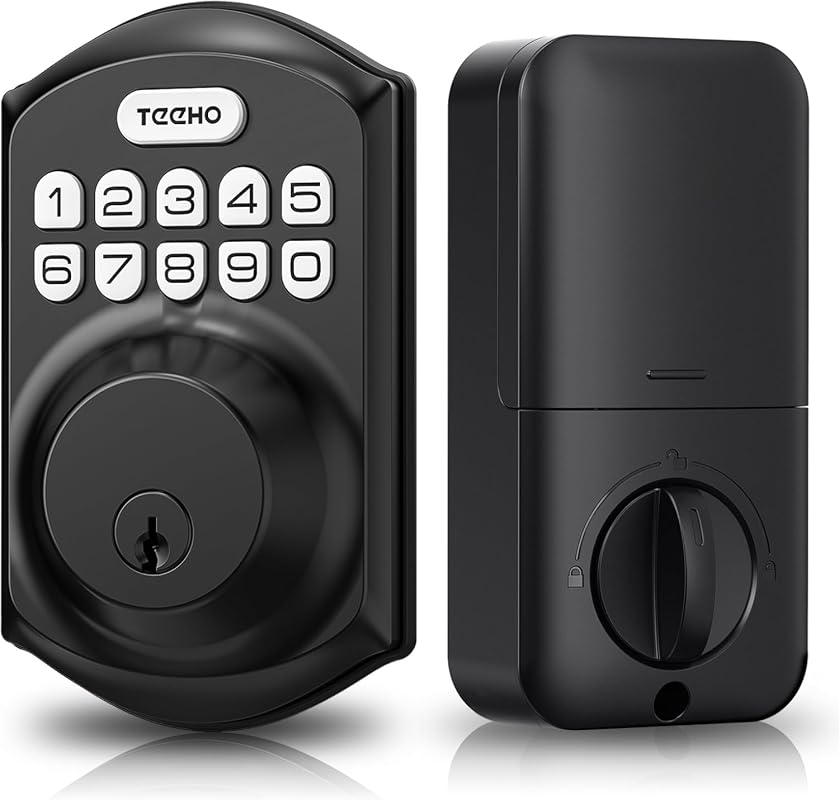 |
Proven keypad value with weather resistance | See Price → |
| 4. TEEHO TE001 Satin Nickel | 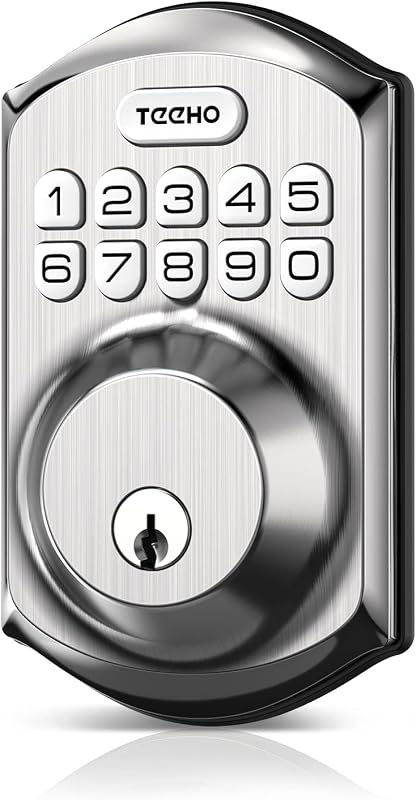 |
Budget keypad deadbolt for simple entry | See Price → |
| 5. ULTRALOQ Bolt SE Wi-Fi | 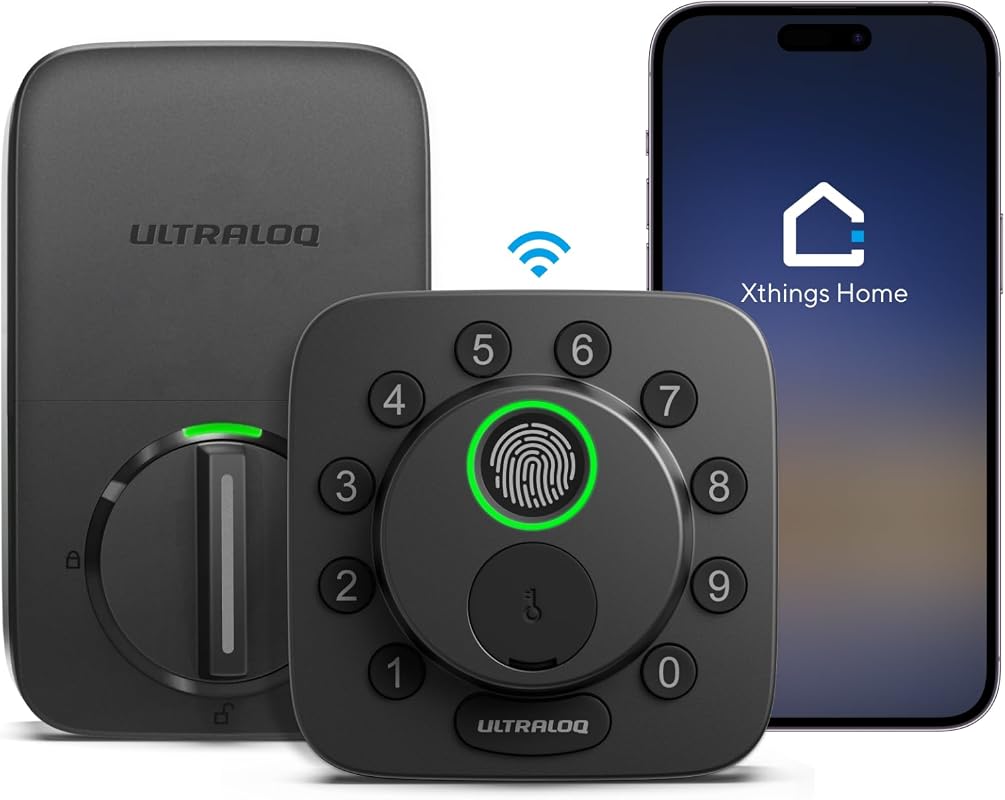 |
Apple Home and Matter households | See Price → |
| 6. Veise VE06-H | 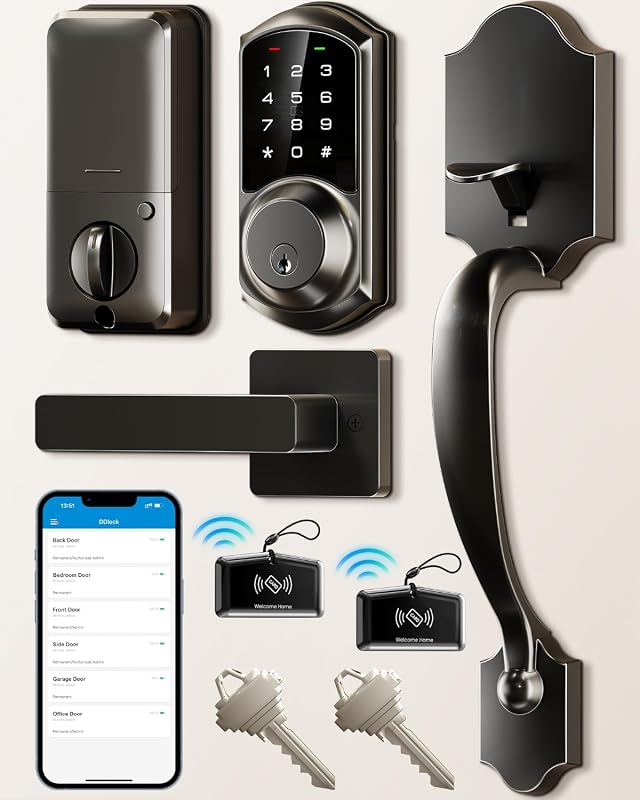 |
Full handle set for multi-user homes | See Price → |
| 7. Ulecoce U68 | 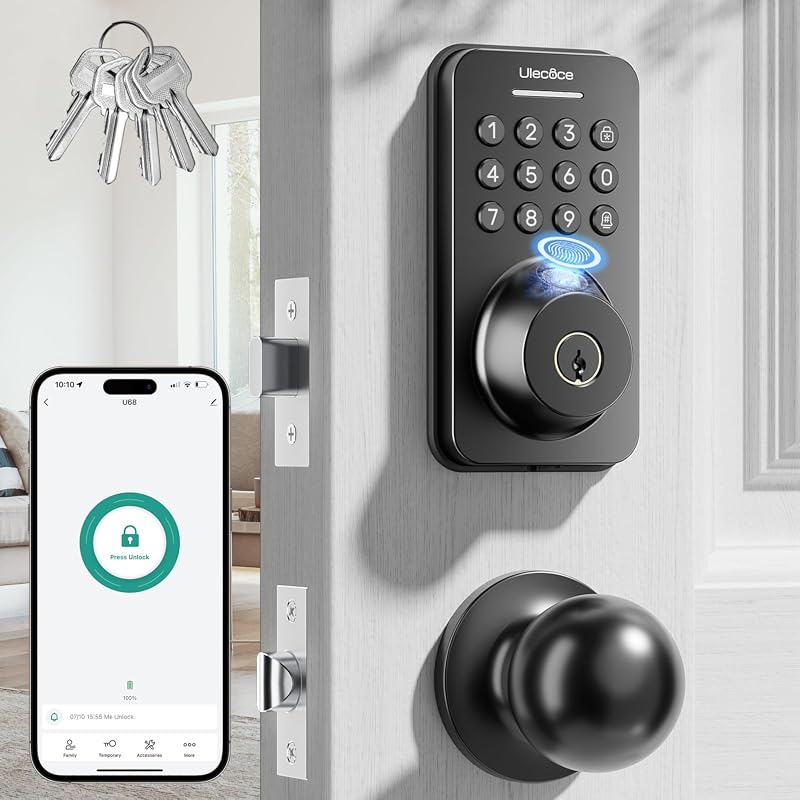 |
Compact fingerprint knob with high capacity | See Price → |
| 8. Veise VE06-L | 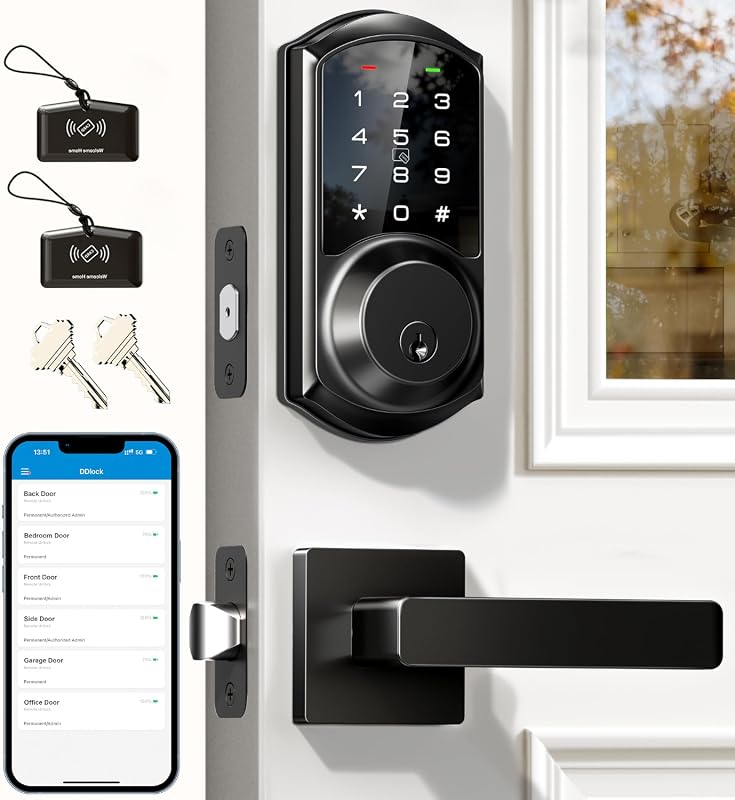 |
No-subscription rental property access | See Price → |
What to Look For in a Front Door Smart Deadbolt
Unlock Methods and Key Backup
Fingerprint, keypad, app, and physical key options change how your family enters. A backup key or emergency power port matters if the battery dies.
Connectivity and Hubs
Some deadbolts use built-in Wi-Fi. Others need Matter over Thread, Bluetooth, or a separate gateway. Not every model needs a hub, so check the requirements.
Battery Life and Emergency Power
Most models run on AA batteries for months. Look for low battery alerts and a backup key, USB-C port, or another emergency option.
Door Fit and Installation
Check backset, bore hole, door thickness, and deadbolt alignment before buying. Some models need drilling or a strike plate change. See our smart lock door compatibility guide for the details to measure.
Security Features and Privacy
Anti-peeping keypads, auto-lock, tamper alerts, and local encryption add real value. Review app permissions, multi-factor authentication, and access logs to keep your account secure.
User Management and Costs
Count how many codes, fingerprints, and eKeys you need. Compare subscription fees, gateways, and extra hardware before committing.
Our Top 8 Picks
Each pick below uses only the features, ratings, and listing details supplied. Prices vary, so check the current listing before you order.
1. Wyze Auto-Lock Bolt v2, Fingerprint Keyless Entry Smart Lock, AI Learning Scanner with Wi-Fi Front Door Lock Deadbolt, Auto-Lock, 8 Months Battery, BHMA2, IP53, Anti-Peep Keypad, Backup Keys
The Wyze Auto-Lock Bolt v2 leads this roundup. It pairs fast fingerprint entry with built-in Wi-Fi and physical key backup. The AI learning scanner improves recognition over time. The app adds remote lock and unlock control. It holds 4.5 stars from 671 ratings. Its main limit is that remote features depend on a working Wi-Fi connection.
Key Features That Matter
- 0.5-second fingerprint unlock with scratch- and smudge-resistant tempered glass.
- AI learning scanner improves accuracy with each touch.
- Up to 8 months of battery life from 8 AA batteries, plus a USB-C emergency power port.
- Wyze app control with remote check and unlock. It pairs with a Wyze Video Doorbell for live-feed entry.
- Multiple entry methods: fingerprint, app, code, and backup keys.
- Fast fingerprint unlock and app control.
- Long battery life with USB-C backup.
- Physical keys included as a fallback.
- Verify the exact U.S. model and Wi-Fi band before buying.
- Remote unlock depends on a working internet connection.
2. Veise VE017 Fingerprint Smart Door Lock with App Control, Matte Black
The Veise VE017 is a strong alternative. It suits property owners who want remote user management without complex wiring. It uses the KK Home app to grant, pause, or delete access. It stores credentials locally with AES128 encryption. The self-learning fingerprint reader adds speed. Anti-peeping codes and intrusion defense strengthen daily use. It holds 4.3 stars from 1,337 ratings.
Key Features That Matter
- Smart user management in the KK Home app with remote permission changes and activity logs.
- 8-in-1 unlock: fingerprint, app, authorized access, fob, code, code sharing, voice assistant with G1 gateway, and key.
- Self-learning AI fingerprint recognition under 0.2 seconds with 99.99% accuracy.
- Four password modes with anti-peeping, one-time codes, and intrusion defense alarms.
- AES128 encrypted local storage for access records, user credentials, and fingerprints.
- Local AES128 encryption for access data.
- Many unlock methods in one lock.
- Remote user management from the app.
- Voice control needs the G1 gateway, sold separately.
- Confirm KK Home app support for your phone and region.
3. TEEHO TE001 Keyless Entry Door Lock with Keypad – Smart Deadbolt Lock for Front Door with 2 Keys – Auto Lock – Easy Installation – Matte Black
The TEEHO TE001 is the most proven value pick in this roundup. It has 23,983 ratings. It skips apps and Wi-Fi. Instead, it offers a reliable keypad, 20 access codes, auto-lock, and two physical keys. The zinc alloy body and IP65 weather resistance make it a solid choice for exposed front doors. If key backup is a top priority, our best smart locks with physical key backup roundup covers more options.
Key Features That Matter
- 20 family access codes plus a temporary code for single guest entry.
- Auto-lock set from 10 to 99 seconds, or one-touch lock by holding any key for 2 seconds.
- Zinc alloy and stainless steel frame with IP65 weather resistance.
- Anti-peeping code protection and low battery indicator.
- Two physical keys included. The deadbolt auto-detects door direction after battery install.
- Proven popularity with strong review volume.
- Weather-resistant build for exposed doors.
- Physical keys and auto-lock included.
- No app, fingerprint, or remote control.
- Batteries are not included in the box.
4. TEEHO TE001 Keyless Entry Deadbolt with Keypad for Front Door, Satin Nickel
This satin nickel TEEHO TE001 offers the same keypad-first approach at a lower price. It delivers 20 access codes, a one-time PIN, auto-lock, and up to 365 days of battery life from four AA batteries. It has 24,614 ratings and 4.5 stars. It is the simplest way to add keyless entry without smart features.
Key Features That Matter
- 20 access codes and a one-time PIN that deletes after use.
- Auto-lock in 10-99 seconds plus one-touch lock from the keypad.
- 4 AA batteries last up to 365 days with a red low battery alert below 15%.
- Aluminum alloy body with IP54 weather resistance.
- Anti-peeping code protection and a solid lock cylinder.
- Lowest-cost option in this roundup.
- Long battery life with clear low battery alert.
- One-time guest codes and physical key.
- No smart app or fingerprint reader.
- Verify door thickness and backset fit.
5. ULTRALOQ Bolt SE Wi-Fi Smart Lock, Matter Over Thread, App Remote Access
The ULTRALOQ Bolt SE is the best choice for smart home hub households. It supports both built-in Wi-Fi and Matter over Thread. It works with Apple Home, Siri, Alexa, and Google Assistant. It stores up to 50 fingerprints and 50 passcodes. No hub is needed for Wi-Fi control. Matter features require a Thread Border Router. It holds 4.3 stars from 10,340 ratings.
Key Features That Matter
- 7-in-1 access: fingerprint, passcodes, app, web portal, eKey sharing, voice, and 2 keys.
- Built-in Wi-Fi remote control without a hub. It uses 2.4 GHz Wi-Fi only.
- Matter over Thread support for Apple Home and other Matter-compatible apps.
- Voice control with Siri, Alexa, and Google Assistant.
- Self-healing Thread mesh network. Keep the router within 70 feet for best results.
- Built-in Wi-Fi works without a hub.
- Matter over Thread for Apple Home.
- High capacity for codes and fingerprints.
- Matter features need a Thread Border Router.
- Wi-Fi range is limited to about 70 feet.
6. Veise VE06-H Smart Front Door Lock Handle Set, App Control, Matte Black
The Veise VE06-H replaces both the deadbolt and the door handle. It fits doors that need a complete hardware refresh. It offers 250+ codes, remote eKeys, app control, and privacy or passage modes. Voice control is possible. It needs the Veise G2 gateway sold separately. It holds 4.4 stars from 1,566 ratings.
Key Features That Matter
- 5 ways to enter: app, code, fobs, mechanical key, and thumb turn.
- App and website management with remote eKeys and user records.
- 250+ user codes with one-time, permanent, scheduled, and recurring options.
- Auto-lock, one-touch locking, privacy mode, and passage mode.
- Anti-peeping and anti-hacking touchscreen keypad.
- Complete handle and deadbolt replacement.
- Large code capacity for family and guests.
- Privacy and passage modes add flexibility.
- Alexa and Google Home need the G2 gateway.
- Installation may require more door prep.
7. Ulecoce U68 Fingerprint Keypad Deadbolt with Knob Set, Matte Black
The Ulecoce U68 packs fingerprint entry into a compact knob set. It recognizes fingerprints in 0.3 seconds. It stores up to 512 prints, which helps larger households. The app adds temporary passwords, remote unlock, and access logs. Auto-lock keeps the door secure after each exit. It holds 4.3 stars from 632 ratings.
Key Features That Matter
- Fingerprint unlock in 0.3 seconds with a 99.99% recognition rate.
- Stores up to 512 fingerprints with a self-learning algorithm.
- App control for temporary passwords, remote unlock, and real-time logs.
- 5-in-1 access: fingerprint, keypad, app within 5 meters, one-touch, and backup keys.
- Auto-lock set from 5 to 60 seconds and a one-touch lock button.
- Fast fingerprint recognition with high capacity.
- App management for codes and logs.
- Auto-lock and one-touch lock options.
- Voice and remote features need a separate gateway.
- App-based unlocking works within 5 meters only.
8. Veise VE06-L Smart Deadbolt Lock with 2 Lever Handle Set, Matte Black
The Veise VE06-L gives landlords and property managers a no-subscription way to manage many users. The DDlock app and web portal handle eKeys, codes, and access logs without monthly fees. It also supports IC cards and a long auto-lock delay range. This helps in rental and short-term stays. It holds 4.4 stars from 792 ratings. Renters and landlords should review can renters install smart locks before drilling or changing hardware.
Key Features That Matter
- Multiple unlock options: app, codes, web portal, IC cards (1000+), eKey, admin, key, and Apple Watch.
- DDlock app and web portal with no subscription fee.
- 250+ codes with permanent, scheduled, recurring, one-time, and erase options.
- Anti-peeping random digits and a 2-minute lockout after 5 wrong attempts.
- Solid zinc alloy body with privacy, silent, and passage modes.
- No subscription for app and web portal.
- IC card support for up to 1,000 cards.
- Durable zinc alloy construction.
- Alexa and Google Home need the G2 gateway.
- Confirm the lever handle direction matches your door.
Compatibility varies by model. Verify the exact U.S. version, Wi-Fi band, hub, app, phone OS, and voice assistant before buying. Wi-Fi models usually need 2.4 GHz networks. Matter over Thread locks need a Thread Border Router. Alexa and Google Assistant support often requires a separate gateway.
Buyer Check
Check location, power, network, platform, included parts, and the exact manual.
Check coverage, privacy zones, weather, drilling, wiring, door alignment, and local restrictions.
Update firmware, enable MFA, review users, and test alerts, recording, battery, and outage behavior.
Maintenance is simple. Replace AA batteries on a schedule, wipe the keypad clean, and re-test the deadbolt after each firmware update.
- Wyze Auto-Lock Bolt v2: Best overall for fingerprint speed and Wi-Fi control; verify your network and exact model.
- Veise VE017: Best alternative for remote user management and local data encryption.
- TEEHO TE001 (Matte Black): Best value keypad deadbolt with proven popularity and weather resistance.
- TEEHO TE001 (Satin Nickel): Most affordable keypad option with long battery life.
- ULTRALOQ Bolt SE: Best Matter over Thread model for Apple Home and voice control.
- Veise VE06-H: Best full handle set for multi-user homes.
- Ulecoce U68: Best compact fingerprint knob with high print capacity.
- Veise VE06-L: Best for rental properties with no-subscription user management.
- Compatibility: Verify the exact U.S. model, door fit, Wi-Fi band, hub, and gateway before buying.
- Security: Use strong account settings, MFA, and a tested backup key before relying on any smart lock.
Frequently Asked Questions About Best Smart Deadbolts For Front Door
Yes, when installed correctly and used with strong account settings. Enable multi-factor authentication, update firmware, and keep a backup key in a secure place. No lock can guarantee safety by itself.
Most still work offline with a keypad, fingerprint, or physical key. Remote app control needs Wi-Fi, Bluetooth, or a hub. Check the model before you rely on app access.
Often yes with landlord approval, but some locks require drilling or cylinder changes. Keep the original hardware and review your lease terms first.
Most models show a low battery warning and include a physical key or emergency power port. Test your backup method before you actually need it.
It depends on the model. Some use built-in Wi-Fi, some need a Thread Border Router or gateway, and others work with Bluetooth only. Verify the requirement before buying.
Most homes use 5 to 10 codes for family, guests, and service providers. The locks here offer 20 to 250+ codes, so choose based on your household size.
Pick the deadbolt that fits your door, your family’s habits, and your comfort with apps and subscriptions. The Wyze Auto-Lock Bolt v2 leads for fingerprint speed and Wi-Fi control, while the TEEHO models prove keypad entry can stay simple and affordable.
Whichever you choose, keep the backup key secure, update firmware, enable multi-factor authentication, and test the lock before you rely on it every day.