Reolink Argus 4 Pro vs Elite WiFi: Key Differences Explained
The Reolink Argus 4 Pro and Elite WiFi serve different security needs. I see the Argus 4 Pro as the flexible choice for wide outdoor coverage, while the Elite WiFi suits locations with reliable power and a permanent installation.
Choose the Argus 4 Pro if you want a battery-powered 4K camera with a 180-degree view and optional solar charging; choose the Elite WiFi if you prefer continuous power and a fixed setup. I’ll compare video quality, night vision, smart detection, connectivity, storage, and ongoing costs to help you choose with confidence.
Key Takeaways
- Argus 4 Pro offers wide, battery-powered coverage.
- Elite WiFi fits permanent, continuously powered installations.
- Your power access and coverage needs should guide the choice.
Key Specifications At A Glance
I see the Argus 4 Pro as a wire-free camera built for wide outdoor views, while the Elite WiFi is better suited to a fixed, continuously powered installation. Both support Wi-Fi and local recording, but their power systems, lens layouts, and placement options differ.
Camera Design And Power Options
The Argus 4 Pro uses a compact dual-lens design that creates a 180° viewing angle. Its rechargeable battery supports flexible placement, and an optional Reolink solar panel can reduce the need for manual charging. The camera carries an IP66 weatherproof rating, making it suitable for outdoor use when mounted correctly.
The Elite WiFi uses a more traditional single-camera design with a fixed power connection. I would choose it when a nearby outlet is available and I want continuous operation without battery charging. Its wired setup also makes it a better fit for permanent mounting under an eave, on a wall, or above a driveway.
| Feature | Argus 4 Pro | Elite WiFi |
|---|---|---|
| Power | Rechargeable battery, optional solar panel | Wired power |
| Lens layout | Dual lens | Single lens |
| Outdoor use | IP66 weather resistance | Depends on the specific Elite WiFi model |
Core Hardware Differences
The Argus 4 Pro records in 4K UHD and combines two lenses to cover a 180° horizontal view. Its ColorX technology supports full-color night footage without relying on visible spotlights, although very dark scenes still depend on available light. It also uses Wi-Fi 6 and includes free AI detection and local storage support.
The Elite WiFi name covers Reolink’s higher-end wired Wi-Fi cameras, so exact specifications vary by model. Many offer a narrower view than the Argus 4 Pro but may provide features such as stronger continuous recording support, optical zoom, a spotlight, or higher mounting flexibility. I would compare the exact Elite model’s resolution, field of view, storage options, and night-vision system before buying.
Video Quality And Night Vision
I see a clear difference between these cameras: the Argus 4 Pro favors a wide, battery-powered view, while the Elite WiFi models focus on fixed coverage with wired power. Resolution, lens design, and low-light performance affect how much useful detail I can capture.
Resolution And Field Of View
The Argus 4 Pro uses two 4K lenses to create a joined 180-degree view. This design covers a wide area with fewer blind spots, making it useful for driveways, patios, and large entrances. The combined image gives me broad coverage, but objects near the edges may appear smaller than they would in a narrower view.
Elite WiFi cameras use a fixed wired connection and vary by model. Many provide 2K or 4K video, but they generally use a narrower lens than the Argus 4 Pro. I get more detail on a specific area, while the Argus 4 Pro shows more of the surrounding scene.
For identification, I would place the Elite WiFi camera closer to the area I need to monitor. I would choose the Argus 4 Pro when coverage matters more than tight, long-range detail.
Color Night Vision Performance
The Argus 4 Pro uses Reolink’s ColorX technology to record color at night without relying on a visible spotlight. Its dual-lens design and large-aperture approach can preserve useful color and shape details in nearby outdoor areas, especially where some ambient light remains.
Elite WiFi models use different night-vision systems depending on the model. Some use infrared for black-and-white footage, while others add a spotlight for color recording. Infrared avoids extra visible light but loses color information. A spotlight can show color more clearly, although it may affect the scene and draw attention to the camera.
I would select the Argus 4 Pro for wide, spotlight-free nighttime coverage. I would choose an Elite WiFi model when continuous wired power and stronger close-range detail matter more than a broad field of view.
Detection And Smart Features
Both cameras can identify common motion events and send alerts without requiring a monthly plan. I would compare their detection controls, alert accuracy, and response to moving subjects before choosing between battery-powered flexibility and continuous wired operation.
AI Object Recognition
The Argus 4 Pro uses on-device AI to distinguish people, vehicles, and general motion. I find this more useful than basic motion sensing because it can reduce alerts caused by animals, leaves, or changing light. Its dual-lens view covers a wide 180-degree area, so the camera can detect activity across a broad scene.
The Elite WiFi also supports smart detection for people, vehicles, and pets on compatible models. Because it uses continuous power, it can monitor without the battery limits that affect the Argus 4 Pro. Both cameras can record to local storage and provide app alerts, but available detection categories may vary by firmware and model.
I would check the exact Elite WiFi model before buying. Reolink uses the Elite name across different cameras, and features such as pet detection, package alerts, or advanced filtering may not appear on every version.
Motion Alerts And Tracking
The Argus 4 Pro sends push notifications when it detects selected objects. I can adjust detection zones, sensitivity, recording schedules, and alert types in the Reolink app. These controls help limit notifications from roads, trees, or other areas that do not need monitoring.
The Elite WiFi offers similar alert controls, but its wired power supports continuous recording and longer monitoring periods. That makes it better suited to a fixed location where I want a complete record of activity, rather than relying mainly on event clips. The Argus 4 Pro suits locations where I cannot run network or power cables.
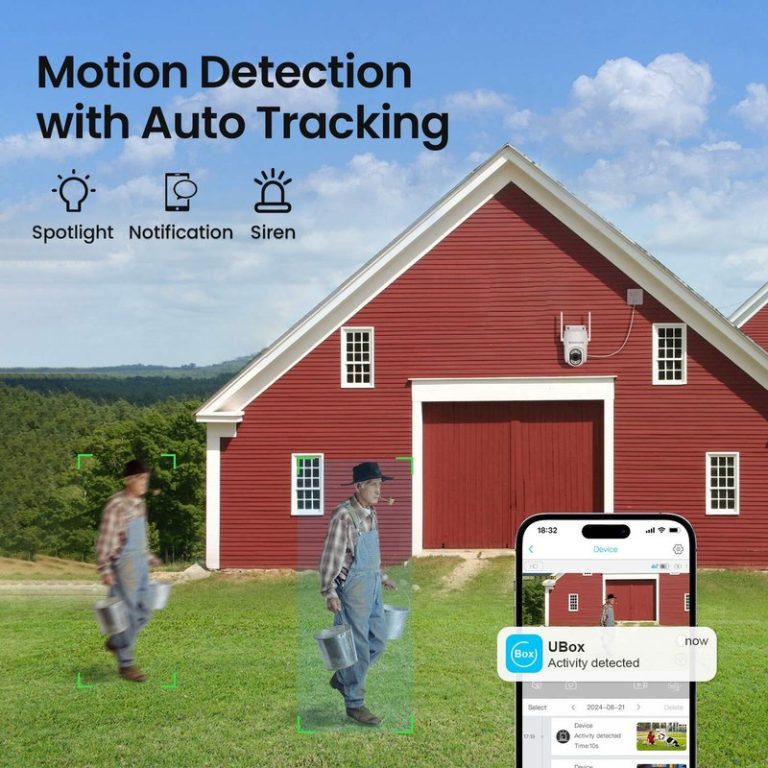
Neither model should be treated as a full tracking camera unless the specific Elite WiFi version includes pan-and-tilt hardware. The Argus 4 Pro provides a fixed, wide view rather than mechanically following a person.
Installation And Connectivity
I find the Argus 4 Pro easier to place where running cable is difficult, while the Elite WiFi suits locations with a nearby power outlet. Both depend on a strong wireless signal, but their power needs affect installation choices and camera placement.
Wi-Fi Compatibility
The Argus 4 Pro uses Wi-Fi 6 and supports both 2.4 GHz and 5 GHz networks. I prefer 5 GHz when the camera sits near the router because it can provide faster data transfer. For longer distances or walls between the camera and router, 2.4 GHz usually offers better range.
The Elite WiFi model also requires a wireless network, but I would check its exact band support before installation because specifications vary by model. Neither camera should sit at the edge of the router’s coverage. I would test the signal at the planned mounting point first, especially outdoors where walls, metal, and distance can reduce performance.
The Argus 4 Pro uses battery power and can record without a permanent power connection. The Elite WiFi needs continuous power, so I must plan both the network path and the cable route.
Mounting Flexibility And Placement
The Argus 4 Pro offers more placement freedom because I do not need to run a power cable to the camera. Its solar panel can help maintain the battery, but I still need a position with suitable sunlight and a clear view. I would mount it high enough to reduce tampering while keeping faces and activity within its wide viewing area.
The Elite WiFi works well under an eave, beside a garage, or near an exterior outlet. I would keep its power adapter and cable protected from water and avoid placing the camera behind glass, which can cause reflections and weaken night footage.
Before fixing either camera in place, I would check the live view, wireless signal, and detection area in the Reolink app. This step helps prevent blind spots and avoids moving the mount later.
Storage, Privacy, And Ongoing Costs
I can store footage locally on both cameras, which avoids required monthly fees and keeps recordings under my control. The main differences involve storage hardware, network setup, and how much cloud access I want.
Local Recording Options
The Argus 4 Pro supports a microSD card with capacity up to 512GB. I can record directly to the camera, review clips through the Reolink app, and replace the card when it fills. It also works with the Reolink Home Hub for centralized local storage across compatible cameras.
The Elite WiFi model may use a microSD card or a compatible Reolink recorder, depending on the exact version. I should verify its supported card size and recorder compatibility before buying. A recorder can simplify management when I operate several cameras, but it adds hardware cost.
Local recording improves privacy because footage does not need to leave my home network. However, a camera or card could be damaged or stolen. I can reduce that risk by using a Home Hub or recorder stored indoors and enabling recording alerts.
Cloud Plan Considerations
Reolink cameras can operate without a paid cloud subscription when I use local storage. That keeps ongoing costs low and lets me avoid storing routine footage on a third-party server. The Argus 4 Pro also includes free AI detection features, according to the listed product information.
Cloud plans can still help when I need off-site backup or access to recordings after a camera is damaged. I should check the plan’s camera limit, retention period, video quality, and supported features before subscribing. Cloud service availability and pricing may vary by region.
For a privacy-focused setup, I would use local recording first and enable strong account security. I would choose cloud storage only for clips that need protection outside my home.
Which Camera Fits Your Needs
I would choose the Argus 4 Pro for broad, wire-free coverage and the Elite WiFi for fixed, detail-focused monitoring. The right option depends mainly on your power access, viewing area, and need for clear identification at longer distances.
Best Choice For Wide-Area Coverage
I recommend the Argus 4 Pro when one camera must cover a wide outdoor area. Its dual-lens design provides a 180-degree field of view, which can monitor large spaces such as driveways, patios, and yard entrances with fewer blind spots. It records in 4K and uses Wi-Fi 6 for a stronger wireless connection when your network supports it.
The Argus 4 Pro also suits locations without a nearby power outlet. Its battery-powered design supports flexible placement, and an optional solar panel can reduce the need for manual charging. Reolink’s ColorX technology can capture full-color nighttime footage without relying on a visible spotlight, though the result still depends on available ambient light.
I would pick it when installation flexibility matters more than continuous recording. Battery limits make it less suitable for nonstop recording or areas with frequent motion.
Best Choice For Detail-Focused Monitoring
I recommend the Elite WiFi when I need a fixed view with sharper attention on a specific area. A hardwired Wi-Fi camera can provide steady power, making it better suited to continuous operation and frequent motion events. This fits entrances, gates, garages, and other locations where I want consistent monitoring rather than a broad overview.
The Elite WiFi is also the stronger choice when the camera can mount near a reliable power source. Its fixed position keeps the viewing angle predictable, while its design may better suit users who prefer a permanent installation over battery maintenance.
I would choose the Elite WiFi for identifying activity in a defined zone. I would choose the Argus 4 Pro instead when a wide field of view and wire-free placement matter more than continuous recording.
Frequently asked questions
Which camera suits a home without wired power?
I would choose the Argus 4 Pro for locations where running a power cable is difficult. It uses a battery and can pair with a solar panel, while the Elite WiFi needs continuous wired power.
Do both cameras record in 4K?
No. The Argus 4 Pro uses dual lenses to provide a wide 180-degree view in 4K. The Elite WiFi model’s resolution depends on its exact version, so I would check the product listing before buying.
Which camera gives better night footage?
I prefer the Argus 4 Pro for dark outdoor areas because its ColorX system can produce color footage with little or no visible lighting. The Elite WiFi may rely more on infrared or built-in spotlights, depending on the model.
Which camera has better coverage?
The Argus 4 Pro covers a broad area from a single mounting point. I would use it for driveways, yards, and other open spaces. The Elite WiFi may suit a narrower viewing area where a fixed, powered camera works well.
Do they require a monthly subscription?
No. Reolink cameras generally support local recording and free basic detection features. I would confirm storage support, app features, and cloud options for the specific Elite WiFi model.
Which one should I buy?
I would select the Argus 4 Pro for wide, wire-free coverage. I would select the Elite WiFi when reliable mains power matters more than battery operation.
Conclusion
I would choose the Reolink Argus 4 Pro when I need a wire-free camera with broad coverage. Its 4K video, 180-degree view, Wi-Fi 6, color night vision, and optional solar power suit driveways, yards, and other large outdoor areas.
I would choose the Reolink Elite WiFi when I have a reliable power source and want a more permanent installation. Its wired design avoids battery charging and usually makes more sense for continuous monitoring in a fixed location.
| Choose the Argus 4 Pro if you need… | Choose the Elite WiFi if you need… |
|---|---|
| Battery-powered installation | Continuous wired power |
| Optional solar charging | A fixed, permanent setup |
| Very wide coverage | A camera near an outlet |
| Spotlight-free color night video | Less battery maintenance |
The Argus 4 Pro offers greater placement flexibility, but its battery life depends on motion levels, settings, weather, and solar exposure. The Elite WiFi requires more installation work, yet it removes the need to manage a rechargeable battery.
My choice depends on the site rather than image quality alone. I would buy the Argus 4 Pro for flexible outdoor coverage and the Elite WiFi for dependable, always-powered monitoring.